Newsletter Subscribe
Enter your email address below and subscribe to our newsletter
Enter your email address below and subscribe to our newsletter

 ByJohn A
Ask an IT team where the company’s data lives and you will get an accurate answer about servers, workstations, and cloud services. Ask where it has ever lived, and the answer becomes considerably less complete.
Data has a way of ending up on media that never entered an asset register. Some of it was deliberate, some was convenience, and some was designed into equipment that nobody thinks of as a computer. All of it persists after the equipment stops being used, and none of it is covered by a disposal process aimed at laptops and servers.
Organizations that have built a careful process around workstation drives, including proper ssd destruction services and serial-level documentation, frequently have a substantial exposure sitting in categories the process never mentions. What follows is where it usually hides.
Office multifunction printers are the most significant example. A modern copier contains a hard drive that retains images of documents scanned, printed, copied, and faxed through it, often for years. A machine that served a busy office holds an archive of exactly the material an organization would least like to release, and it is routinely returned to a leasing company or sold with no attention paid to it at all.
Security systems record continuously to local storage. Video, and increasingly access logs and analytics data, sit on drives in a cupboard that nobody has opened since installation.
Phone systems retain voicemail, call records, and configuration including stored credentials.
Networking equipment holds configuration files, authentication settings, and sometimes cached credentials, which is a different sensitivity from customer data and matters for anyone able to use it to reach live infrastructure.
Conference room systems, digital signage controllers, and point-of-sale terminals all contain storage and all get disposed of as fixtures rather than as computers.
Portable media accumulates faster than it is tracked and is almost never inventoried.
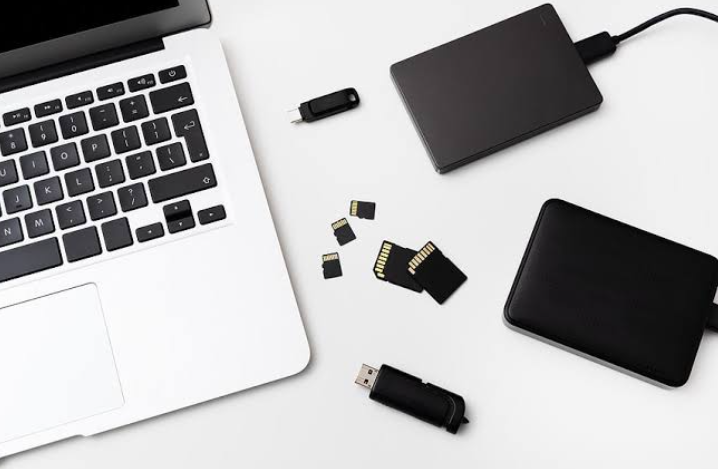
USB drives are the classic example. They were handed out at conferences, used to move a presentation between machines, and used to take a backup of something important before a system change. They end up in desk drawers, in bags, and in the bottom of equipment boxes.
SD cards from cameras, recorders, and older tablets hold whatever was last on them.
Optical discs from a decade or more ago frequently hold backups of financial or client systems, and they sit in filing cabinets long after the systems they backed up were retired.
Backup tapes are the highest-density risk in this category. A single tape may hold a complete image of a production environment from a given date, and organizations that moved to disk or cloud backup years ago often still have shelves of them because nobody was sure whether they could be discarded.
External hard drives used for departmental backups or by individuals for convenience sit in the same category and are usually undocumented.
Devices that were never company property complicate this further.
Personal laptops and phones used for work under a bring-your-own-device arrangement contain company data on media the organization has no right to destroy. What the organization can do is enforce containerization so that company data sits in a managed area that can be removed remotely, and this needs to be in place before the device leaves rather than after.
Home printers used for work documents contain the same storage as office ones on some models.
Personal external drives used to move a large file, then never cleared, are a genuine and common exposure that no policy addresses.
The fix begins with a broader question than the usual one.
Instead of asking which computers exist, ask which devices in the organization write data to persistent storage. That question surfaces the copier, the recorder, the phone system, and the signage controller, none of which appear when the question is about computers.
Walk the physical space rather than working from records, because the categories that were never inventoried will not appear in an inventory.
Ask departments what removable media they hold. People generally know about the drawer of USB drives and the shelf of tapes; they have simply never been asked.
Check contracts for leased equipment, since copiers in particular are usually leased and the return terms determine what can be done with the drive.
Multifunction devices should have their drives removed and destroyed before return or disposal, or be sanitized using the manufacturer’s documented procedure. Where the device is leased, agree the approach with the lessor in advance, since removing a drive may breach return terms and there is usually an approved option with a fee attached.
Removable media should be gathered and destroyed rather than reused, since the cost of a USB drive is trivial against the cost of not knowing what is on the one in the drawer.
Backup tapes need either destruction or, if retention obligations apply, secure storage under a documented retention schedule. What they should not have is an indefinite existence on a shelf that nobody has decided about.
Networking and infrastructure equipment should have configurations cleared and credentials rotated as part of decommissioning, since the risk there is access rather than disclosure.
None of this requires a separate program. It requires the disposal checklist to list every category rather than only the obvious ones, and a periodic sweep, perhaps annually, to collect the removable media that has accumulated since the last one.